mirror of
https://github.com/basnijholt/adaptive-lighting.git
synced 2026-10-29 06:37:13 +01:00
Adaptive Lighting custom component for Home Assistant
https://adaptive-lighting.nijho.lt
- Python 99%
- Shell 0.6%
- Dockerfile 0.4%
 be01be243d
A 1 sec transition was used when a light is turned on or when sleep state changes. The short transition should also be used when the CL switch is turned on. Also, because this is used in multiple spots, better to define it in one spot (this will also make it easier to make it configurable, if desired) |
||
|---|---|---|
| custom_components/circadian_lighting | ||
| custom_updater.json | ||
| info.md | ||
| LICENSE | ||
| README.md | ||
Circadian Lighting [Home Assistant Component]
Stay healthier and sleep better by syncing your lights with natural daylight to maintain your circadian rhythm!
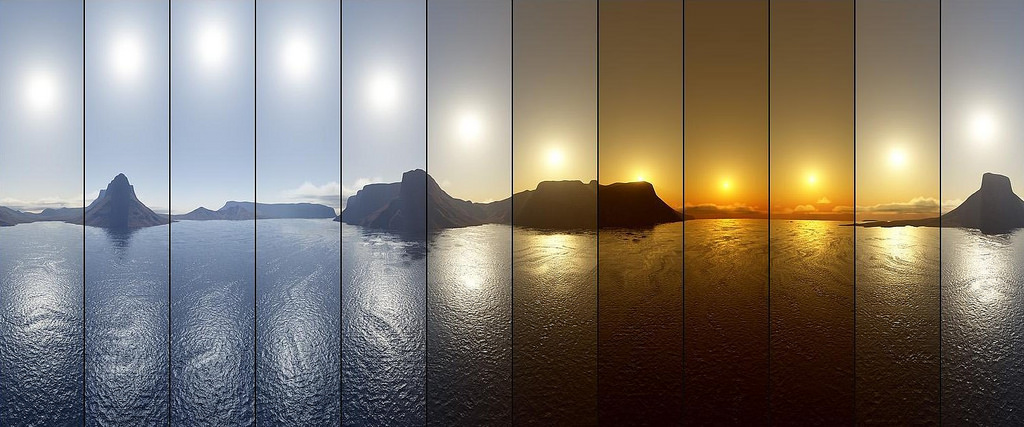
Circadian Lighting slowly synchronizes your color changing lights with the regular naturally occuring color temperature of the sky throughout the day. This gives your environment a more natural feel, with cooler hues during the midday and warmer tints near twilight and dawn.
In addition, Circadian Lighting can set your lights to a nice cool white at 1% in “Sleep” mode, which is far brighter than starlight but won’t reset your circadian rhythm or break down too much rhodopsin in your eyes.
Expand for articles explaining the benefits of maintaining a natural Circadian rhythm
- Circadian Rhythms - National Institute of General Medical Sciences
- Circadian Rhythms Linked to Aging and Well-Being | Psychology Today
- Maintaining a daily rhythm is important for mental health, study suggests - CNN
- How Nobel Winning Circadian Rhythm Research Benefits Pregnancy
- Body Clock & Sleep - National Sleep Foundation
- How our body’s circadian clocks affect our health beyond sleep
Visit the Wiki for more information.
Basic Installation/Configuration Instructions:
Installation:
Install custom_component files automatically using HACS or Custom Updater, or install Manually.

Component Configuration:
# Example configuration.yaml entry
circadian_lighting:
Switch Configuration:
# Example configuration.yaml entry
switch:
  - platform: circadian_lighting
    lights_ct:
      - light.desk
      - light.lamp
Switch configuration variables:
- name (Optional): The name to use when displaying this switch.
- lights_ct (Optional): array: List of light entities which should be set in mireds.
- lights_rgb (Optional): array: List of light entities which should be set in RGB.
- lights_xy (Optional): array: List of light entities which should be set in XY.
- lights_brightness (Optional): array: List of light entities which should only have brightness adjusted.
Graphs!
These graphs were generated using the values calculated by the Circadian Lighting sensor/switch(es).
Sun Position:

Color Temperature:

Brightness:
