- Lua 88%
- TeX 11.5%
- Shell 0.5%
| after/ftplugin | ||
| lsp | ||
| lua/weeheavy | ||
| mkcheatsheet | ||
| .luarc.json | ||
| CHEATSHEET.md | ||
| CHEATSHEET.pdf | ||
| init.lua | ||
| lazy-lock.json | ||
| README.md | ||
| sample.png | ||


My Neovim configuration
Motivation
After doing my first steps with https://github.com/nvim-lua/kickstart.nvim, I decided to roll my own, custom, "lightweight" Neovim configuration in order to better understand Neovim and its configuration/customization, package managers, plugins etc. and have "my own" config that only includes things I really need. More on the "why's" are explained in my blog post.
Installation
- Install Neovim 0.10. or newer
- Install the dependencies documented in
init.lua - Clone this Git repository to
~/.config/nvimon macOS or Linuxc:\Users\foobar\AppData\Local\nvimwhen on Windows
Finishing touches
- Create a
$HOME/.ignorefile and add big, useless directories to it, so Telescope/ripgrep/fd can ignore those. My current list of files/directories is available inlua/weeheavy/plugins/telescope-fzf-native.lua - Install Mason LSP/linter/formatters from the table down below
Speed
It's not too important. Still, I try to balance increasing startup time with the usefullness of a plugin.
Output from lazy.nvim profiling (:Lazy profile) on a MacBook Pro M2 Max,
macOS 15 on Neovim 0.11.0.
Start and open init.lua
Around 15% of the plugins are lazy-loaded.
LazyStart 14.64ms
LazyDone  59.11ms (+44.48ms)
UIEnter   119.52ms (+60.41ms)
Starting with an empty file
Around 40% of the plugins are lazy-loaded.
LazyStart 14.37ms
LazyDone  60.18ms (+45.81ms)
UIEnter   74.45ms (+14.27ms)
Plugins
| Name | Purpose | URL |
|---|---|---|
| lazy.nvim | Package manager | https://github.com/folke/lazy.nvim |
| telescope.nvim | Find, Filter, Preview, Pick | https://github.com/nvim-telescope/telescope.nvim |
| telescope-fzf-native.nvim | Fuzzy finder for Telescope | https://github.com/nvim-telescope/telescope-fzf-native.nvim |
| nvim-treesitter | Parser/syntax highlighting | https://github.com/nvim-treesitter/nvim-treesitter |
| nvim-treesitter-context | Shows current line context | https://github.com/nvim-treesitter/nvim-treesitter-context |
| nvim-treesitter-textobjects | ? | https://github.com/nvim-treesitter/nvim-treesitter-textobjects |
| oil.nvim | file explorer, (bulk file creation/rename) | https://github.com/stevearc/oil.nvim |
| rose-pine | Theme | https://github.com/rose-pine/neovim |
| lualine.nvim | Status line | https://github.com/nvim-lualine/lualine.nvim |
| gitsigns.nvim | Git change indicator | https://github.com/lewis6991/gitsigns.nvim |
| which-key.nvim | Shows contextual key bindings | https://github.com/folke/which-key.nvim |
| vim-illuminate | Highlight similar words (w/ LSP, Treesitter, regex) | https://github.com/RRethy/vim-illuminate |
| conform.nvim | Formatter configuration, replacement for null-ls |
https://github.com/stevearc/conform.nvim |
| mason.nvim | Install/manage LSP/DAP servers, linters and formatters | https://github.com/williamboman/mason.nvim |
| todo-comments.nvim | Highlights NOTE:, FIXME: etc. and makes them findable via Telescope |
https://github.com/folke/todo-comments.nvim |
| mini.nvim | I use the icons | https://github.com/echasnovski/mini.nvim |
| flash.nvim | Navigation and Treesitter selection w/ search labels | https://github.com/folke/flash.nvim |
| nvim-lint | Narrow-scope linter plugin to use via Neovim diagnostic framework | https://github.com/mfussenegger/nvim-lint |
| snipe.nvim | Buffer navigation | https://github.com/leath-dub/snipe.nvim |
| blink.cmp | Fuzzy code completion | https://github.com/Saghen/blink.cmp |
| diffview.nvim | Git diff viewer/stager | https://github.com/sindrets/diffview.nvim |
Looks
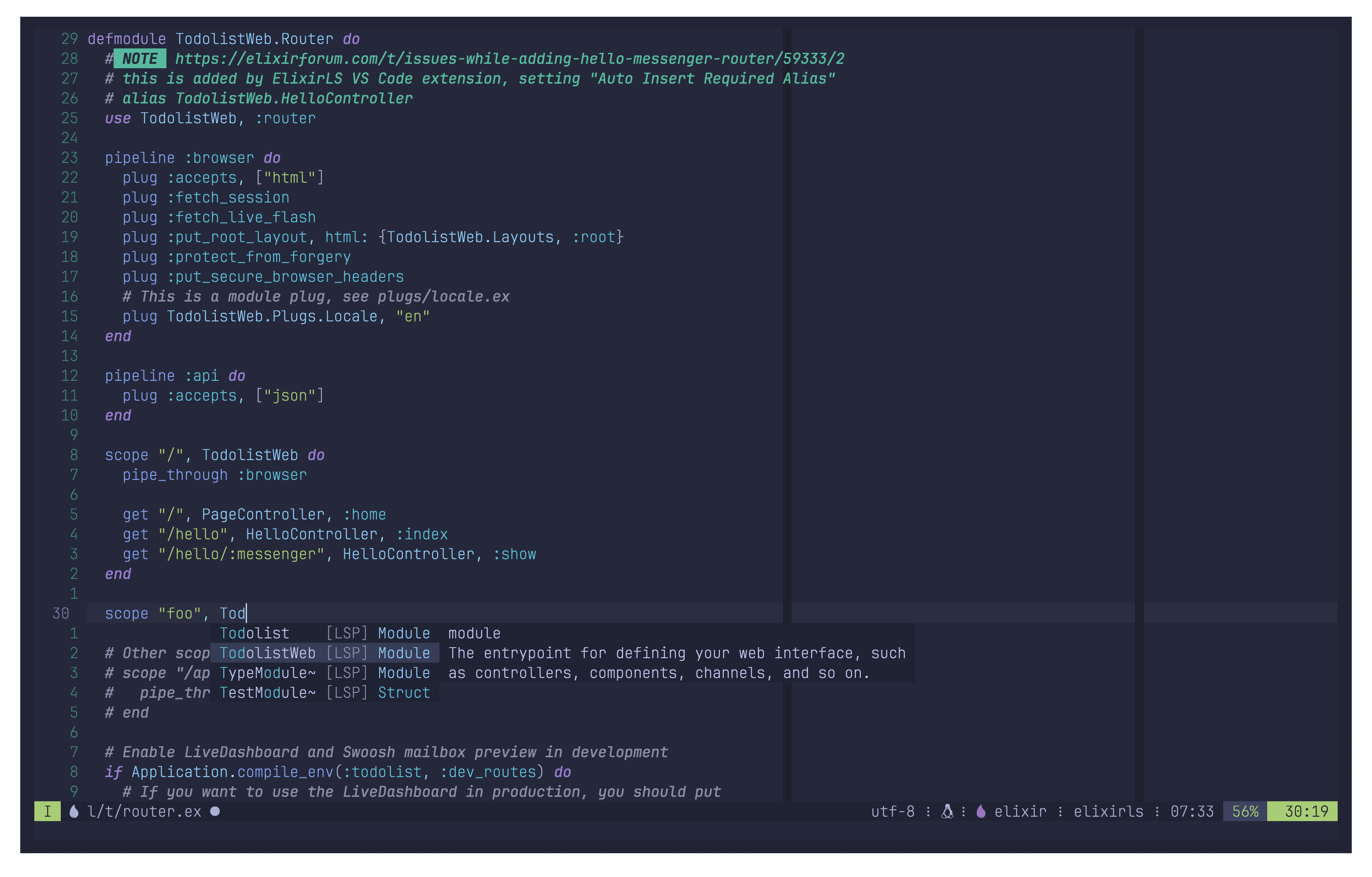
This is how it looks like:
Mason essentials
This lists the LSPs/linter/formatters I consider ok for my use cases. Tools may
support many more languages than I document in the "Language" column. The
formatters installed here are used via conform.nvim.
| Type | Language | Name | Benefits | Issues |
|---|---|---|---|---|
| LSP | Markdown | marksman | Autocompletes links | https://github.com/artempyanykh/marksman/issues/327 |
| LSP | Go | gopls | n/a | |
| LSP | Terraform/OpenTofu | terraform-ls | n/a | |
| LSP | Terraform/OpenTofu | tflint | n/a | |
| LSP | Ansible | ansible-language-server | Ansible knowhow | Search yaml.ansible in prefs.lua |
| LSP | Bash | bash-language-server | Incorporates ShellCheck | n/a |
| LSP | YAML | yaml-language-server | n/a | |
| Linter | Ansible | ansible-lint | yamllint vs. ansible-lint | |
| Linter | YAML | yamllint | yamllint vs. ansible-lint | |
| Linter | Terraform/OpenTofu | tflint | ||
| Linter | any | woke | Makes you aware of woke language | |
| Formatter | Markdown, YAML | prettier | Markdown table formatting! | n/a |
| Formatter | Lua | stylua | Formats Lua | n/a |
| Formatter | Bash | shfmt | Formats Bash scripts | n/a |
Key bindings
See CHEATSHEET
Open issues/TODOs
- https://github.com/axkirillov/hbac.nvim
- solution to search-replace visual blocks
- https://github.com/aliqyan-21/wit.nvim
